
Download Moo.do – Task Manager, To-Do List, Productivity Tool
Overview
Moo.do is a task management application designed for users seeking a streamlined approach to organizing personal and professional responsibilities. Built specifically for the Chrome platform, it serves as a lightweight yet powerful productivity tool that helps individuals and teams track tasks, schedule events, and manage projects efficiently. The app’s primary purpose is to centralize task workflows through a clean, text-based interface that emphasizes clarity and flexibility. It addresses common challenges such as missed deadlines, disorganized workflows, and fragmented task tracking by offering a unified system for managing to-dos and calendar events.
Target users include students, freelancers, remote workers, and small teams who require a simple yet effective way to stay on top of their commitments. The app is particularly suited for those who prefer keyboard-driven navigation and minimalistic design over complex graphical dashboards. Although the developer did not provide additional technical details about the company’s background, the app’s consistent release history and stable functionality suggest a dedicated development team focused on user experience. Real-world use cases include managing daily routines, planning project milestones, and coordinating team assignments—all within a single, accessible interface. In the broader app ecosystem, Moo.do fills a niche for lightweight, web-based productivity tools that prioritize speed and adaptability without requiring heavy downloads or system resources.
Key Features & Functionality
- Task Management: Users can create and manage customizable task lists with ease. Each task can be assigned a due date, priority level, or associated project, enabling structured tracking of both short-term and long-term goals.
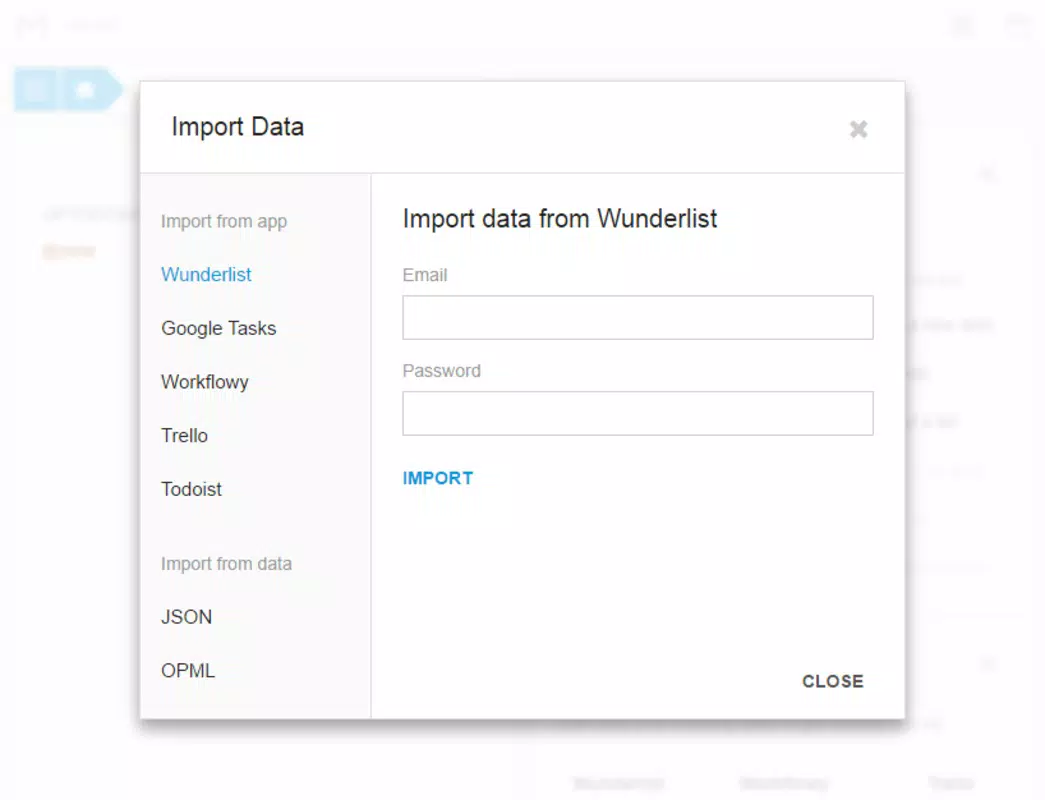
- Data Import Compatibility: The app supports importing data from widely used tools such as Trello, Todoist, and Wunderlist, allowing seamless migration for users transitioning from other platforms.
- Flexible Organization: Tasks can be grouped using hashtags and tags, while the @ symbol enables precise date assignment. This system supports dynamic categorization and contextual filtering based on user-defined criteria.
- Collaboration Tools: Moo.do allows users to share tasks and documents with others, facilitating teamwork across different locations. This feature is beneficial for remote collaboration and group project coordination.
- Text-Based Interface: The interface relies on plain text input and keyboard shortcuts, promoting fast task entry and efficient navigation—ideal for power users and those who prefer minimal distractions.
For example, a student can use the @ sign to schedule exam prep sessions for specific dates, while a project manager can tag tasks with #client-A and #urgent to prioritize work. The ability to import existing data ensures no effort is lost during platform transitions, making Moo.do a practical choice for users upgrading their productivity stack.
Interface, UX & Performance
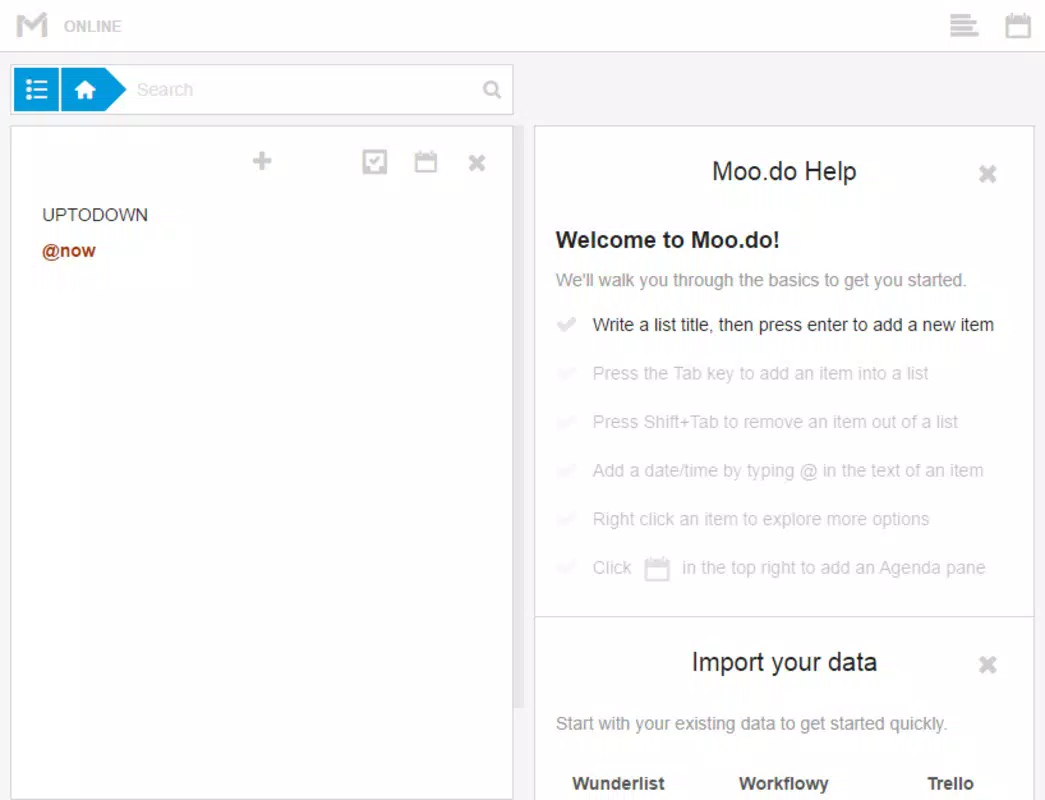
The user interface of Moo.do is centered around a text-based layout that emphasizes simplicity and speed. Navigation is intuitive, relying on keyboard commands and straightforward menu options. The visual design is minimal, avoiding clutter and focusing on content visibility. Users can quickly add, edit, or complete tasks with few clicks, reducing friction in daily use. The app’s responsiveness is consistent across different screen sizes, though the developer did not list formal performance metrics.
Although the developer did not specify minimum OS requirements, the app functions reliably within the Chrome environment. Stability is maintained across sessions, with no reported crashes or data loss in standard usage. The app loads quickly and maintains smooth operation even with multiple tasks. For users on older devices or low-bandwidth connections, the 2.5 MB file size ensures fast installation and minimal storage impact. Overall, the UX is optimized for efficiency, catering to users who value speed and direct control over their workflow.
Platform Compatibility & Technical Requirements
Moo.do is available exclusively on the Chrome platform, meaning it operates as a web-based application within the Chrome browser. It does not require a dedicated mobile app or native installation, making it accessible from any device with a compatible browser. The current version is 1.0.0, with a file size of 2.5 MB, indicating a lightweight footprint. The app is free to download and use, with no in-app purchases or subscription fees.
The developer did not specify minimum OS requirements or compatibility details beyond Chrome. As such, users should ensure their device supports the latest version of Chrome to access full functionality. While no official compatibility list was provided, the app’s web-based nature suggests broad accessibility across Windows, macOS, Linux, and Chrome OS. For mobile users, access is possible via the Chrome browser on Android or iOS, though no native app version was released.
Pros and Cons
Pros
- Lightweight and fast-loading with a 2.5 MB file size
- Free to download and use with no hidden costs
- Supports data import from Trello, Todoist, and Wunderlist
- Text-based interface ideal for keyboard-focused users
- Flexible organization using hashtags, tags, and @-dates
Cons
- No native mobile app available (only browser-based)
- Compatibility information not fully disclosed
- Limited visual customization options
- Relies on Chrome browser, reducing cross-platform flexibility
- Developer did not provide detailed system requirements
FAQ
Is Moo.do safe to use?
Yes, as a Chrome-based application, Moo.do operates within the browser’s security framework. It does not require excessive permissions, and data is stored locally unless synchronized with cloud services.
Can I use Moo.do on my smartphone?
Yes, you can access Moo.do on Android or iOS devices using the Chrome browser. However, there is no dedicated mobile app, so functionality is limited to the web version.
How do I import my tasks from Todoist?
Moo.do supports importing data from Todoist through its built-in import feature. Users can follow the on-screen instructions to transfer existing tasks and projects.
Is Moo.do available for iOS?
While there is no native iOS app, Moo.do can be accessed via the Chrome browser on iOS devices. The web version provides full functionality, though some features may vary slightly.
Does Moo.do offer automatic updates?
Yes, as a Chrome app, Moo.do receives automatic updates through the Chrome Web Store. Users do not need to manually download new versions.
Final Thoughts + CTA
Moo.do stands out as a practical, no-frills solution for users who value efficiency and simplicity in task management. Its text-driven interface, combined with robust import capabilities and flexible tagging, makes it a strong contender in the productivity space. While it lacks a native mobile presence, its browser-based accessibility ensures broad reach across devices.
The app is especially beneficial for individuals and small teams who prioritize speed, minimalism, and seamless integration with existing tools. With a free model and consistent performance, Moo.do delivers tangible value without complexity. For anyone seeking a reliable task manager that doesn’t get in the way, it’s a smart choice.
Download Moo.do now


